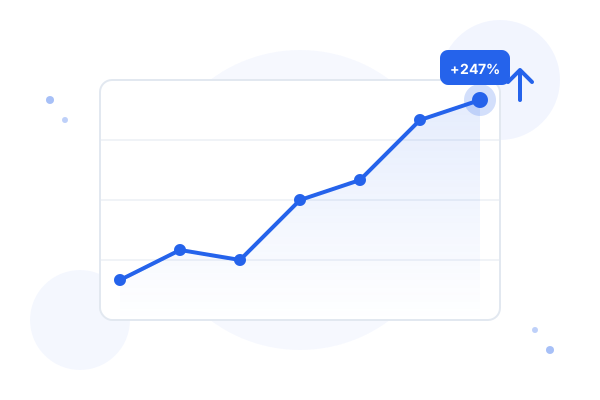
What CoreWebHub builds for accountants: We create websites for Australian accounting firms that include an AI chatbot as standard. The chatbot answers client questions 24/7 — appointment booking, document requests, BAS deadline queries — so your team focuses on billable advisory work. Paired with Advisync's AI receptionist for phone calls, practices typically save 10–15 hours per week on admin.
| Feature | Benefit | Time Saved |
|---|---|---|
| AI Website Chatbot | Answers client FAQs and books appointments 24/7 | 5–8 hrs/week |
| AI Phone Receptionist | Handles inbound calls, qualifies leads, transfers when needed | 3–5 hrs/week |
| Document Collection Automation | Auto-requests and chases documents with deadlines | 2–4 hrs/week |
| Bank Reconciliation AI | Suggests matches and account codes from patterns | 60–80% faster |
| Receipt Scanning (Dext/Hubdoc) | Extracts vendor, amount, GST and codes automatically | 30 min/client |
What AI Actually Means for Accounting
The accounting profession has been dealing with "AI will replace accountants" headlines since at least 2014. It hasn't happened, and it won't — not in the way those headlines suggest. But AI tools are changing what accounting work looks like, and practices that understand the difference between what AI can and cannot do are making better decisions about where to invest.
In practical terms, AI in accounting means three things: automation of repetitive tasks (processing receipts, matching transactions, sending reminders), pattern recognition in financial data (flagging unusual transactions, suggesting account codes based on history), and natural language interfaces for client communication (chatbots that answer common questions, voice assistants that handle appointment booking).
What it does not mean: AI giving tax advice, AI replacing your professional judgement, or AI taking responsibility for compliance. The Corporations Act and Tax Agent Services Act are clear that certain functions must be performed by a registered professional. AI tools are designed to handle the administrative work that surrounds professional judgement, not to replicate the judgement itself.
For most small-to-medium Australian practices, the practical opportunity is not dramatic transformation — it's getting back 10-15 hours per week of administrative time that can be redirected to client-facing work or simply not having to hire an additional admin person as the practice grows.
Tasks AI Can Handle Today
These are the AI capabilities that are mature, reliable, and deployed at scale in Australian accounting practices right now. Not theoretical — actually working.
Receipt Scanning and Categorisation
Tools like Dext (formerly Receipt Bank) and Hubdoc use optical character recognition and machine learning to extract data from receipts and invoices — vendor name, date, amount, GST component — and suggest the correct account code based on the client's coding history. The suggestion gets more accurate over time as the tool learns the client's pattern. A client who regularly buys from Bunnings for a construction business will have those transactions automatically coded to the correct expense category without manual input. The accountant reviews exceptions rather than processing everything manually.
Bank Reconciliation Suggestions
Xero's bank reconciliation uses pattern matching to suggest matches between bank transactions and invoices or bills already in the system. When the same supplier pays the same amount on the same day each month, Xero learns to suggest the match automatically. This is genuinely useful: it turns bank reconciliation from a task that requires reading and matching every line to a task that requires reviewing AI suggestions and approving or correcting them. For well-maintained accounts, this reduces reconciliation time by 60-80%.
Client Communication Automation
Practice management tools like Karbon, Ignition, and Accountable include workflow automation that sends reminders without manual intervention. A BAS lodgement workflow can automatically send a document request to the client 10 days before the due date, a reminder 5 days out, and a chase 2 days out — all without a staff member initiating each action. Annual tax return workflows can send a checklist to every client in the relevant group on the same date each year. This is not sophisticated AI, but it's practical automation that saves hours of follow-up time each week.
Basic Client Query Handling
A chatbot on your accounting firm's website can handle the queries that your reception answers ten times a day: when is my BAS due, what documents do I need for my tax return, do you handle SMSF accounts, how do I book an appointment. These queries have consistent, factual answers that don't require a person to think through each time. Automating them frees reception for calls that do require a human — and means clients can get answers at 9pm when they're actually thinking about their finances.
Appointment Scheduling
Online booking integration — via Calendly, Acuity, or booking widgets built into your website — lets clients schedule tax appointments, quarterly reviews, and ad hoc consultations without calling. The system checks your calendar in real time, offers available slots, sends confirmation and reminder emails automatically, and syncs to your calendar. For practices with multiple accountants, it can route booking to the correct person based on the client's account manager assignment.
Document Collection Workflows
Automated client portals (Karbon Client Tasks, Ignition, or custom integrations) send specific document requests — bank statements for a particular month, payslips, loan statements — with deadlines and automated reminders. Clients upload directly to the secure portal; the document goes to the correct matter without manual sorting. This reduces the admin burden on both sides and creates an audit trail of what was requested and when it was received.
Tasks AI Cannot Handle
Being clear about limitations is more useful than overselling what AI can do. These are the areas where AI tools fall short and where professional judgement remains essential.
Complex tax advice. A client asks whether a particular structure — say, a unit trust with a corporate trustee — makes sense for their situation given their income, family circumstances, and growth plans. This requires understanding the client's full financial picture, their risk tolerance, the relevant tax law, and how it interacts with their specific facts. No AI tool can do this reliably. The tools that claim to can produce plausible-sounding but factually incorrect advice that could expose both the client and the accountant to significant risk.
Business structuring recommendations. Recommending whether a client should trade as a sole trader, company, trust, or hybrid structure involves legal, tax, asset protection, and succession considerations that are highly specific to the individual. The right answer is never algorithmic.
ATO dispute resolution. An audit, an objection, or a private binding ruling request requires understanding the ATO's current compliance focus, the specific technical issue in dispute, and how to present the client's position persuasively. This is not a task for AI.
Professional scepticism. When something doesn't look right — a transaction pattern that suggests undisclosed income, a deduction claim that doesn't match the client's business activities — identifying and addressing it requires the kind of contextual judgement that develops over years of practice. AI can flag statistical anomalies, but it cannot exercise the professional scepticism that an experienced accountant brings.
AI Tools Available for Australian Accountants
These are the tools currently used by Australian accounting practices, with factual descriptions of what each does. This is not a ranking or endorsement.
Karbon. Practice management software with built-in AI features including email triage, task prioritisation, and workflow automation. Karbon's AI can summarise long email threads, suggest next actions on matters, and identify which work items are at risk of missing deadlines. Designed specifically for accounting firms; used by thousands of Australian practices.
Xero. Cloud accounting software with AI-assisted features including bank reconciliation suggestions, invoice coding, and cash flow forecasting. Xero's "just ok" AI recommendations for account coding get more accurate with more history. Xero also has a developer ecosystem where third-party AI tools can integrate via API.
Dext. Receipt and invoice capture tool. Clients photograph receipts with the Dext mobile app; the AI extracts all relevant data and syncs to Xero or MYOB. The extraction accuracy for printed receipts is high; handwritten receipts require more review. Dext also offers a supplier rules feature that automatically codes transactions from known suppliers.
Hubdoc. Document collection and storage tool (now owned by Xero). Fetches bank statements, bills, and receipts automatically from connected accounts and suppliers. Useful for clients who deal with the same suppliers regularly and want statements collected without manual downloading.
How to Evaluate an AI Tool
Before adopting any AI tool in your practice, work through these questions:
Where is client data stored? If the tool stores data overseas, you need to understand the privacy implications under the Privacy Act 1988 and whether your engagement letters contemplate overseas data transfer. Tools built for the Australian market typically store data in Australian AWS or Azure data centres.
Is data used to train AI models? Some AI tools use client data submitted by users to improve their models. This is disclosed in the terms of service, but most accountants don't read them carefully. Check whether you can opt out of data training, and consider whether your clients' data should be used this way.
Does it integrate with your existing software? An AI tool that doesn't connect to Xero, MYOB, or your practice management system creates manual work rather than eliminating it. Check the integration list before committing. Most reputable tools publish their integration library publicly.
What does it actually cost vs. what time will it save? Run a simple calculation: if the tool costs $100/month and saves 5 hours of admin time per month, the break-even is $20/hour — almost certainly worth it. If it saves 30 minutes per month, the maths doesn't work. Be realistic about adoption: tools that are complicated to use won't be used consistently, which means the time savings won't materialise.
Getting Started: A 3-Step Approach
The most common mistake when adopting AI tools is trying to automate everything at once. It creates a chaotic implementation, staff resistance, and ultimately a return to the old way of doing things. The better approach:
Step 1: Pick one task. Choose the single most time-consuming repetitive task in your practice. For most practices it's one of: chasing clients for documents, bank reconciliation, or answering the same client questions repeatedly. Pick one tool that addresses that specific task. Don't implement anything else until this one is working.
Step 2: Measure for 30 days. Track the time saved (or not saved), any errors introduced, and how clients or staff have responded. This gives you real data rather than vendor promises. If it's working, you have evidence to justify expanding. If it's not working, you haven't disrupted your whole practice — just one workflow.
Step 3: Expand to the next task. With one successful automation running, add the next. This compound approach means by the end of the year you have 3-4 workflows automated with evidence that each one works, rather than a half-implemented overhaul that nobody trusts.
How CoreWebHub and Advisync Fit In
CoreWebHub builds websites for accounting firms that include client-facing AI as standard in the Professional and Premium tiers — not as a bolt-on that costs extra. The AI chatbot handles the questions your reception answers repeatedly: service queries, appointment booking, document upload links, deadline reminders. It works 24/7, which means clients who think about their tax at 10pm can get answers and book an appointment without waiting for business hours.
For practices that handle high call volumes during tax season — when every second line is ringing and clients are on hold — Advisync's AI receptionist handles inbound calls. It answers common questions, books appointments, and only transfers to a human when the query genuinely requires one. This is particularly useful for the July-October period when every practice is at capacity.
The distinction from general AI tools: both CoreWebHub and Advisync are configured specifically for your practice — your services, your fees, your policies — rather than using a generic template. The chatbot doesn't give tax advice; it handles logistics and information so your team can focus on advice.
Many accounting clients also work with lawyers and mortgage brokers — professionals who deal with the same high-trust, document-heavy workflows. See our related guides: AI for lawyers covers how AI is reshaping legal practice with similar automation opportunities, and our mortgage broker website services shows how brokers use digital tools to build trust before the first conversation.
See our accounting firm website services for pricing and what's included at each tier. If your firm also advises on legal matters or works closely with law firms, see how law firm websites are built to the same compliance standard.